HOWTO  Write and publish a Nanopublication
Knowledge Graphs
The W3C…
…have been working on a set of conventions called YAML-LD. Essentially, it is a way to write JSON-LD documents in YAML. YAML-LD documents describe knowledge graphs — graphs of notions and relations between them.
The following diagram portrays a knowledge graph describing what YAML-LD is:
graph LR
  https___json-ld_github_io_yaml-ld_spec("YAML-LD")
  click https___json-ld_github_io_yaml-ld_spec "https://json-ld.github.io/yaml-ld/spec/"
  Literal-5cc294277266dd585fb000bcc3b0dc5d[["A set of conventions built on top of YAML, which outlines how to serialize
  Linked Data as YAML based on JSON-LD syntax, semantics, and APIs.
  "]]
  https___json-ld_github_io_yaml-ld_spec("YAML-LD")
  click https___json-ld_github_io_yaml-ld_spec "https://json-ld.github.io/yaml-ld/spec/"
  https___w3id_org_fair_fip_terms_Knowledge-representation-language("w3id.org/fair/fip/terms/Knowledge-representation-language")
  click https___w3id_org_fair_fip_terms_Knowledge-representation-language "https://w3id.org/fair/fip/terms/Knowledge-representation-language"
  https___json-ld_github_io_yaml-ld_spec --- 3239c953eb87d0b03a2fae81ce05668e(["Description"])--> Literal-5cc294277266dd585fb000bcc3b0dc5d
  click 3239c953eb87d0b03a2fae81ce05668e "http://purl.org/dc/terms/description"
  class 3239c953eb87d0b03a2fae81ce05668e predicate
  https___json-ld_github_io_yaml-ld_spec --- 3ab0fa2629c4b676a83340de197d8760(["type"])--> https___w3id_org_fair_fip_terms_Knowledge-representation-language
  click 3ab0fa2629c4b676a83340de197d8760 "http://www.w3.org/1999/02/22-rdf-syntax-ns#type"
  class 3ab0fa2629c4b676a83340de197d8760 predicate
  classDef predicate fill:#1f2233,stroke:transparent,color:#f8fafc,stroke-width:0px;
  classDef hidden fill:transparent,stroke:transparent,color:transparent,stroke-width:0px;
  classDef label fill:transparent,stroke:transparent,color:#e5e7eb,stroke-width:0px;
  classDef nanopubdot fill:#0f172a,stroke:#0f172a,color:transparent,stroke-width:2px;
  classDef transparent fill:transparent,stroke:transparent,color:transparent,stroke-width:0px;
Explanation
- YAML-LD is a Knowledge representation language (there might be other such languages in existence);
- YAML-LD is a set of conventions built on top of YAML, which outlines how to serialize Linked Data as YAML based on JSON-LD syntax, semantics, and APIs.
YAML-LD will come handy later in this tutorial, but the point is that it is a topic of knowledge, a notion, which can be described within a knowledge graph. Whatever your area of interest might be, you can use knowledge graphs to describe your domain. Examples of statements in a knowledge graph could be:
- Mosquitoes bite humans;
- TRAPPIST-1 system has 7 planets;
- Pluto is not a planet;
- even though John Doe says that every dinosaur is a reptile, that statement is false, because a chicken is a dinosaur and a chicken is a bird, not a reptile.
The merits of expressing knowledge as Knowledge Graphs are numerous, but exploration of those is out of scope for this tutorial. We will proceed assuming that you and I are in agreement about that being worth our while.
What is a Nanopublication?
Nanopublication is a special kind of knowledge graph which contains the following subgraphs:
- Assertion, describing a statement (like the one above);
- Provenance, describing how the statement was derived;
- Publication Info, describing when and how the nanopublication as a whole was published.
Nanopublications are cryptographically signed and published in the decentralized Nanopublication Registry. Thus, when you or I publish a nanopublication,
- It will be irrevocably attributed to the author;
- It will be protected from tampering;
- Other authors might reference it in their work by a unique ID;
- It won't disappear when one single service provider goes out of service;
- It will be machine readable, making it easy to reuse.
This will be yours, or mine, contribution to human knowledge.
Let us begin.
Install Prerequisites
In a Python 3.10+ environment, run:
pip install iolanta git+https://github.com/iolanta-tech/nanopub-py.git # (1)!
- The installation of
nanopub-pyfrom GitHub is required: at the moment of writing, thenp createcommand, which we are going to use, is not yet available in the latest PyPI version.
Start with an empty file
Create a new file, called yaml-ld.yamlld, and run, in a separate terminal:
iolanta yaml-ld.yamlld
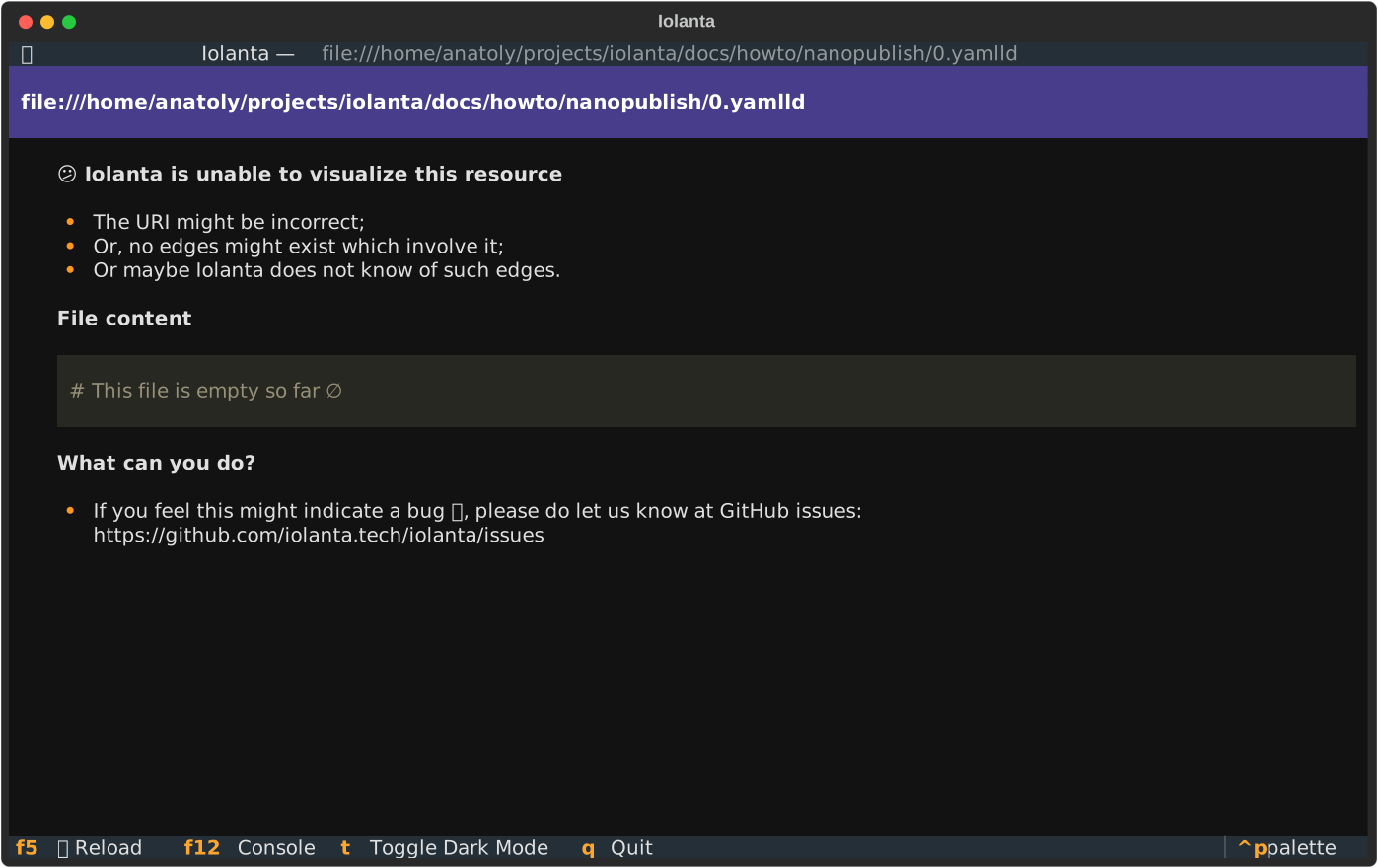
# This file is empty so far ∅
As you can see on the right, Iolanta has certain difficulties visualizing this document. Well, that's because there is nothing to visualize. The line starting from # is a comment in YAML, it is only written for a human reader; computer ignores it entirely.
We are talking about YAML-LD
Knowledge Graphs normally refer to things by their URLs (there are also things called URI and IRI but we will not go into that here). If you have a link which describes the notion you are talking about, you can use that link as the identifier of the notion.
If the reader wants to know more, they can always open the link in their browser.
For YAML-LD, we can use the address of the current YAML-LD specification draft.
"@id": https://json-ld.github.io/yaml-ld/spec/
Here, @id is a keyword that identifies the thing we are going to talk about.
Info
"@id" has to be in quotes, this is because @ is a reserved character in YAML. More on that later.
However... Iolanta still cannot visualize this document, why is this?

The problem now is that the graph we have described only has one node, but no edges, like this:
graph TD
  yaml_ld["json-ld.github.io/yaml-ld/spec/"]
  click yaml_ld "https://json-ld.github.io/yaml-ld/spec/"
This degenerated form of a graph is still a graph, mathematically speaking, but it is not a well formed Knowledge Graph because there is no knowledge to convey about YAML-LD. We need to say something about the thing that we had stated, the graph has to have at least one edge.
Specify title
"@id": https://json-ld.github.io/yaml-ld/spec/
"http://www.w3.org/2000/01/rdf-schema#label": YAML-LD
And it works!

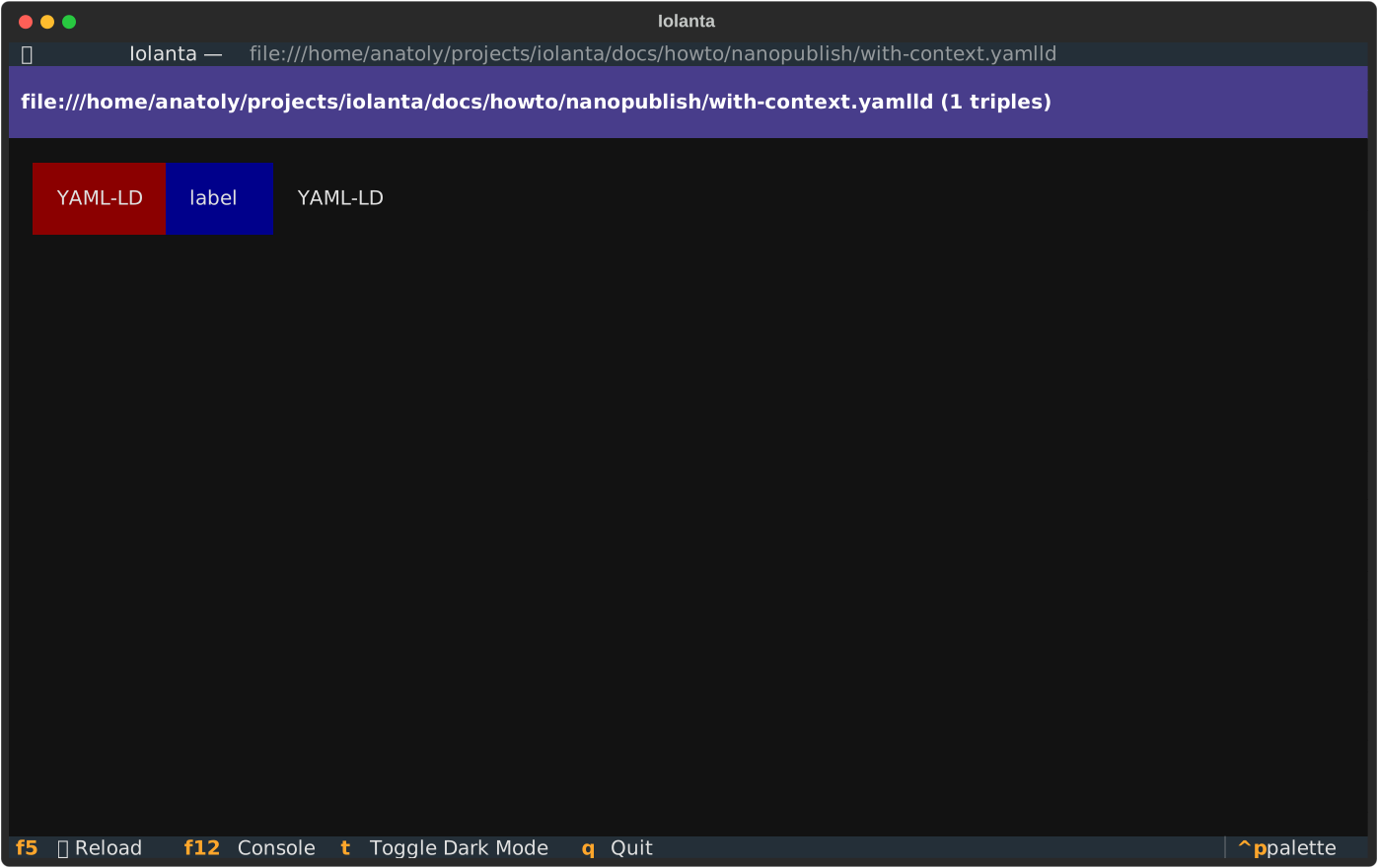
This display shows what is called a triple. Here,
- YAML-LD (red) is the subject,
labelis the predicate,- and
YAML-LD(black) is the object.
Subject and Predicate here are clickable, since they are URLs. Object is a string, or a Literal, and is therefore not clickable.
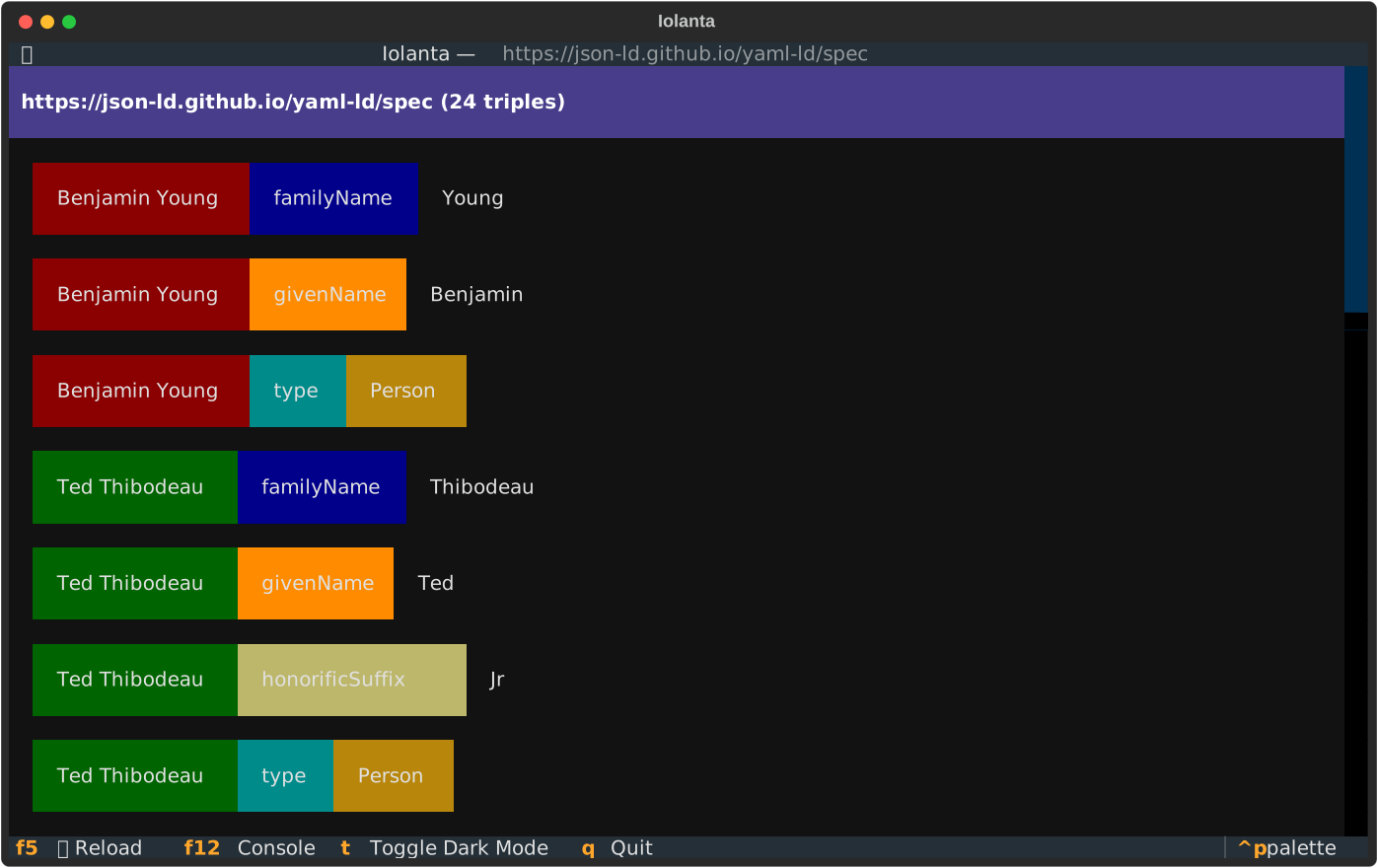

As you can see, quite a bit of information is available about each. That's because files accessible via each of those URLs contain information about the concepts the URLs stand for.
That's called Linked Data.
It is hard to type the …#label property
You will rightfully exclaim:
Exclamation © you
Are you saying I will have to type
http://www.w3.org/2000/01/rdf-schema#label
No, not really. Let's define a context.
"@context":
  rdfs: http://www.w3.org/2000/01/rdf-schema#

"@id": https://json-ld.github.io/yaml-ld/spec/
rdfs:label: YAML-LD
Context is the part of the document where we describe how to interpret this document as a Knowledge Graph. In this example, we introduce a shortcut, rdfs, which stands for RDFS ontology. In the body of the document we can refer to that ontology using that shorthand.
| Short form (CURIE) | Full Form |
|---|---|
rdfs:label |
http://www.w3.org/2000/01/rdf-schema#label |
rdfs:seeAlso |
http://www.w3.org/2000/01/rdf-schema#seeAlso |
rdfs:Class |
http://www.w3.org/2000/01/rdf-schema#Class |
Reduce the number of quotes
"@context":
  "@import": https://json-ld.org/contexts/dollar-convenience.jsonld
  rdfs: http://www.w3.org/2000/01/rdf-schema#

$id: https://json-ld.github.io/yaml-ld/spec/
rdfs:label: YAML-LD
@id to $id, which does not have to be quoted in YAML.

Draw the owl!
With the examples we've looked through, you will easily read the following YAML-LD statement.
"@context":
  "@import": https://json-ld.org/contexts/dollar-convenience.jsonld
  dc: http://purl.org/dc/terms/
  rdfs: http://www.w3.org/2000/01/rdf-schema#
  fip: https://w3id.org/fair/fip/terms/

$id: https://json-ld.github.io/yaml-ld/spec/
$type: fip:Knowledge-representation-language
dc:description: |
  A set of conventions built on top of YAML, which outlines how to serialize
  Linked Data as YAML based on JSON-LD syntax, semantics, and APIs.
rdfs:label: YAML-LD
At any rate, Iolanta is always ready to help by visualizing it. Each of the links is clickable, leading you to further information about the concepts involved.

Make it a valid Nanopublication
pyld expand yaml-ld.yamlld | np create --output-format json-ld from-assertion --input-format json-ld > np.yaml-ld.jsonld # (1)!
- This command is fairly clumsy, I will see if I can make it easier in the future. Here, we have to convert YAML-LD to JSON-LD with
pyld expand— sincenanopub-pypresently does not support YAML-LD. Then, we create the nanopublication withnp createand store it innp.yaml-ld.jsonldfile.
Let's preview the nanopublication.
[
  {
    "@graph": [
      {
        "@id": "http://purl.org/nanopub/temp/np/",
        "@type": [
          "http://www.nanopub.org/nschema#Nanopublication"
        ],
        "http://www.nanopub.org/nschema#hasAssertion": [
          {
Check it out as:
iolanta np.yaml-ld.jsonld
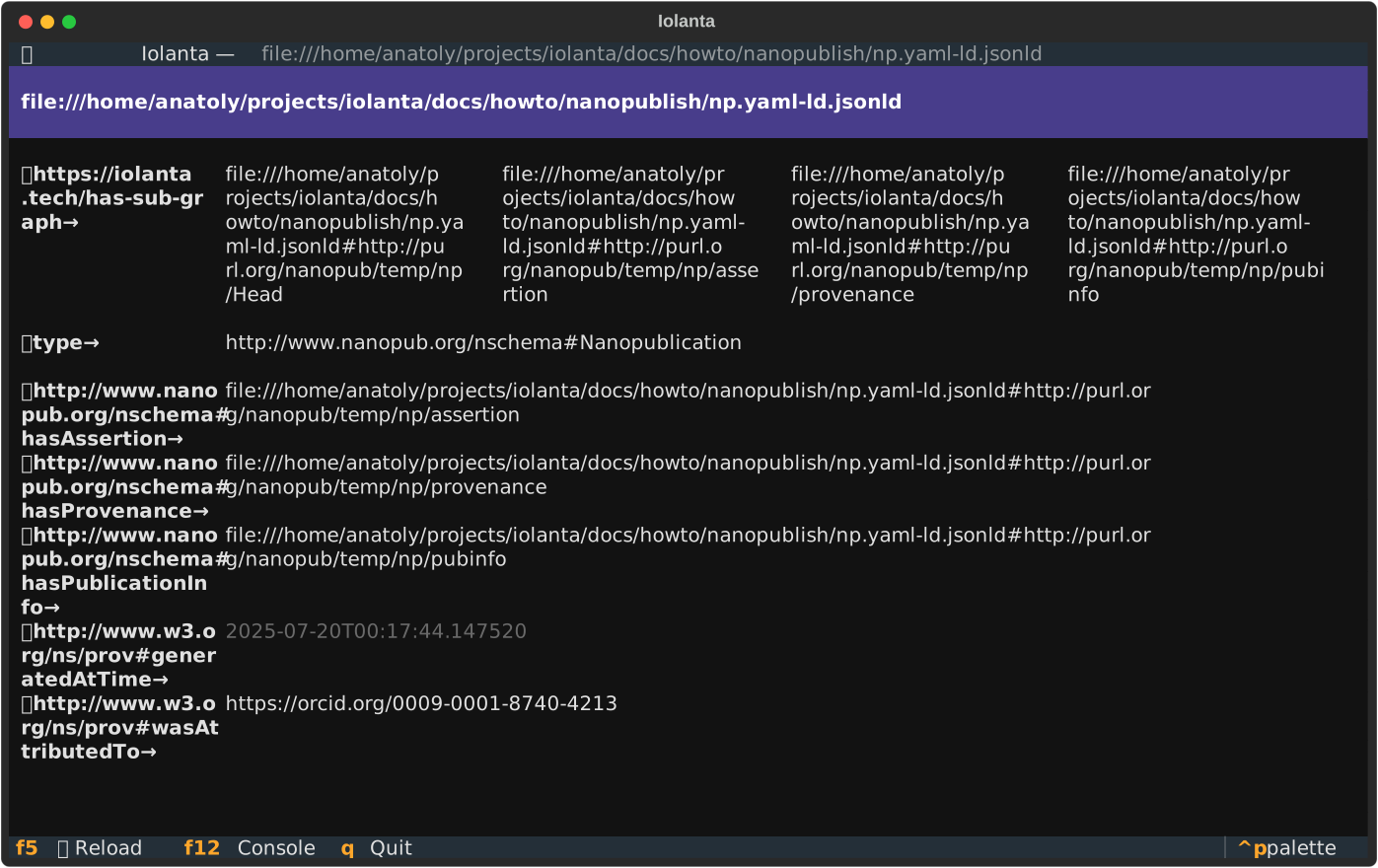
Shall we consider this nanopublication fit for the world? I guess so.
Publish!
np publish --test np.yaml-ld.jsonld
 🧪 Publishing to the test server
 📬️ Nanopub published at https://w3id.org/np/RAAnO3U0Lc56gbYHz5MZD440460c88Qfiz8cTfP58nvvs
Profile setup
If you haven't yet set up your profile, you will be prompted to do so. Follow the recommendations given by the tool.
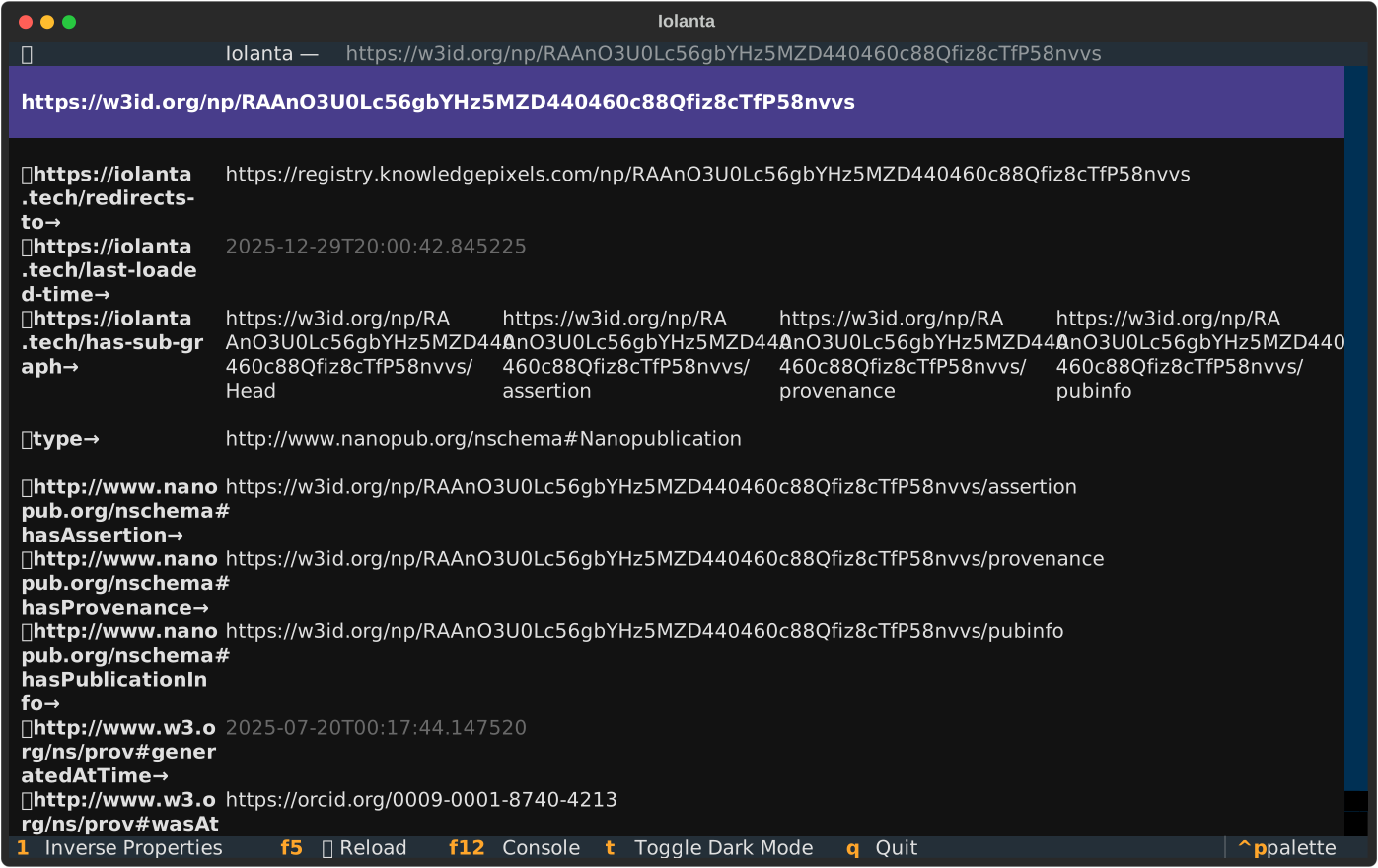
You can see your nanopub published now!

You can also view it with Iolanta.
iolanta https://w3id.org/np/RAAnO3U0Lc56gbYHz5MZD440460c88Qfiz8cTfP58nvvs
Conclusion
Iolanta helps visualize the nanopublication which you are writing, it helps confirm that the URLs you use are indeed resolving to Linked Data, thus connecting your new nanopublication to the existing body of semantically expressed knowledge.
This way, Iolanta might help avoid mistakes and make your nanopublication more readable.
YAML-LD, which we used for examples in this tutorial, provices a concise and human friendly syntax for writing Knowledge Graphs.
I hope these tools will help you in your nanopublication journey.